Posts tagged "Workflow"
-
To help you and your agents build more effectively, we’re introducing reusable Prompt Templates available directly from within Netlify.
Browse a curated collection of reusable prompts for common Netlify workflows: accessibility audits, A/B testing with Edge Functions, and more. Each template uses variable placeholders so you can adapt it to your project without starting from scratch.
Prompt Templates live directly in your project’s agent runs dashboard. From there you can:
- Browse public prompt templates
- Customize and save your own versions of any template for your team
- Submit templates back to the community to share what is working for you
Learn more about managing Prompt Templates for your team.
-
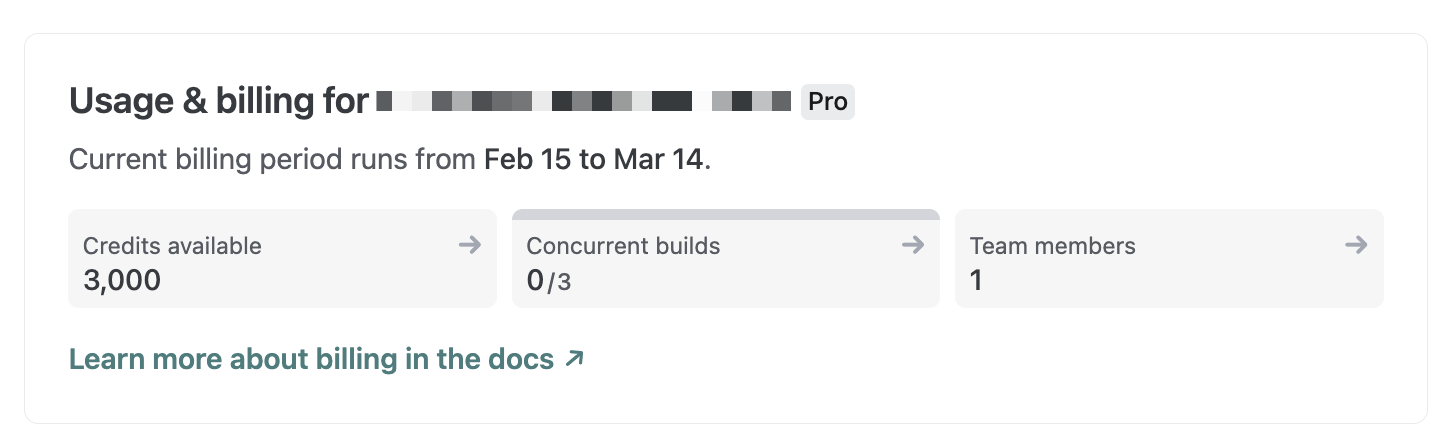
We’ve updated how credits are displayed across the Netlify UI. Instead of showing a “used credits / total credits” counter, you’ll now see your available credits — the number of credits you actually have left to use.
Now, you’ll see exactly how many credits remain on your account without needing to do the math yourself. For a detailed breakdown of your monthly credit consumption, check the Credit usage breakdown card on your team’s billing page.
Learn more about how credits work.
-
Linear users can now launch Netlify Agent Runners directly from any Linear issue, allowing you to seamlessly share context with your AI agent of choice. If you have your Linear issue synced with related Slack messages, this context will also be included in your agent run prompt.
Before starting your agent run, you can review and edit your prompt. Next, you can choose which AI agent to use — Claude Code, Google Gemini, or OpenAI Codex. Netlify Agent Runners doesn’t lock you into using a single AI agent so you can pick the agent that fits the task best.
To start an agent run from Linear:
- Go to a Linear issue where you want to trigger an agent run.
- In the top right corner, select Configure coding tools….
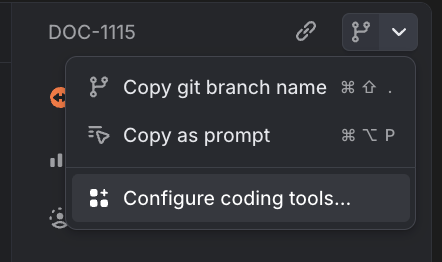
- Toggle Netlify Agent Runners on.
- Go back to the issue and in the top right corner, select Open in Netlify Agent Runners.
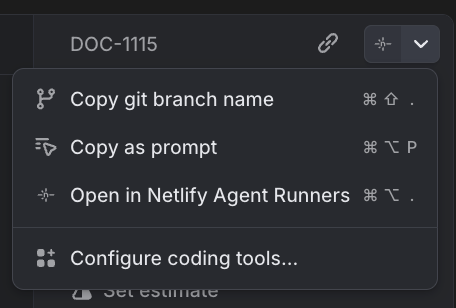
- Review the prompt and choose your AI agent.
- To start the agent run, select Run task.
Once you’ve enabled this integration from your personal Linear preference settings, any Linear issue you open in your workspace will give you the option to open with Netlify Agent Runners.
Now your entire team can save time and seamlessly share context between Linear and Netlify Agent Runners while keeping this work clearly tracked across Linear and Netlify. Learn more about Agent Runners.
-
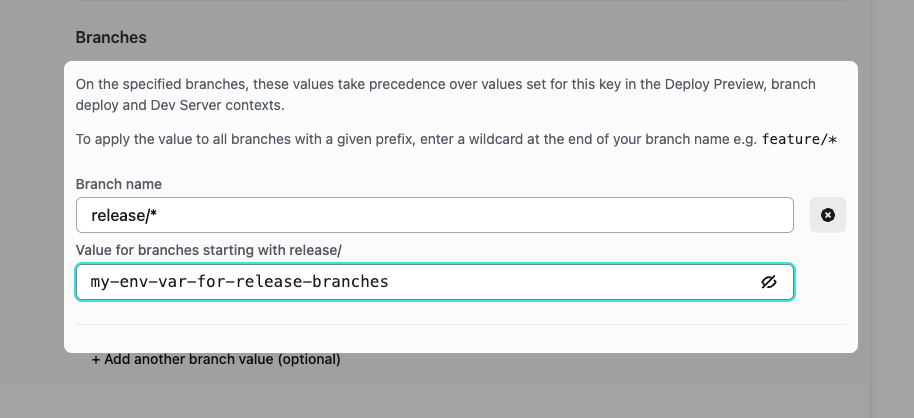
We now support configuring your environment variables to apply a value to groups of branches with a given prefix. Explore the new functionality in Site configuration > Environment variables. When adding a branch value for your environment variable, add a wildcard at the end to apply the value to all branches beginning with the prefix. For example setting the branch name to
release/*will apply the supplied value to branches namedrelease/1.2,release/alpha-0.0.1, and so on.Combine with the ability to configure your site to deploy branches matching selected prefixes to super-charge your branch workflows!
-
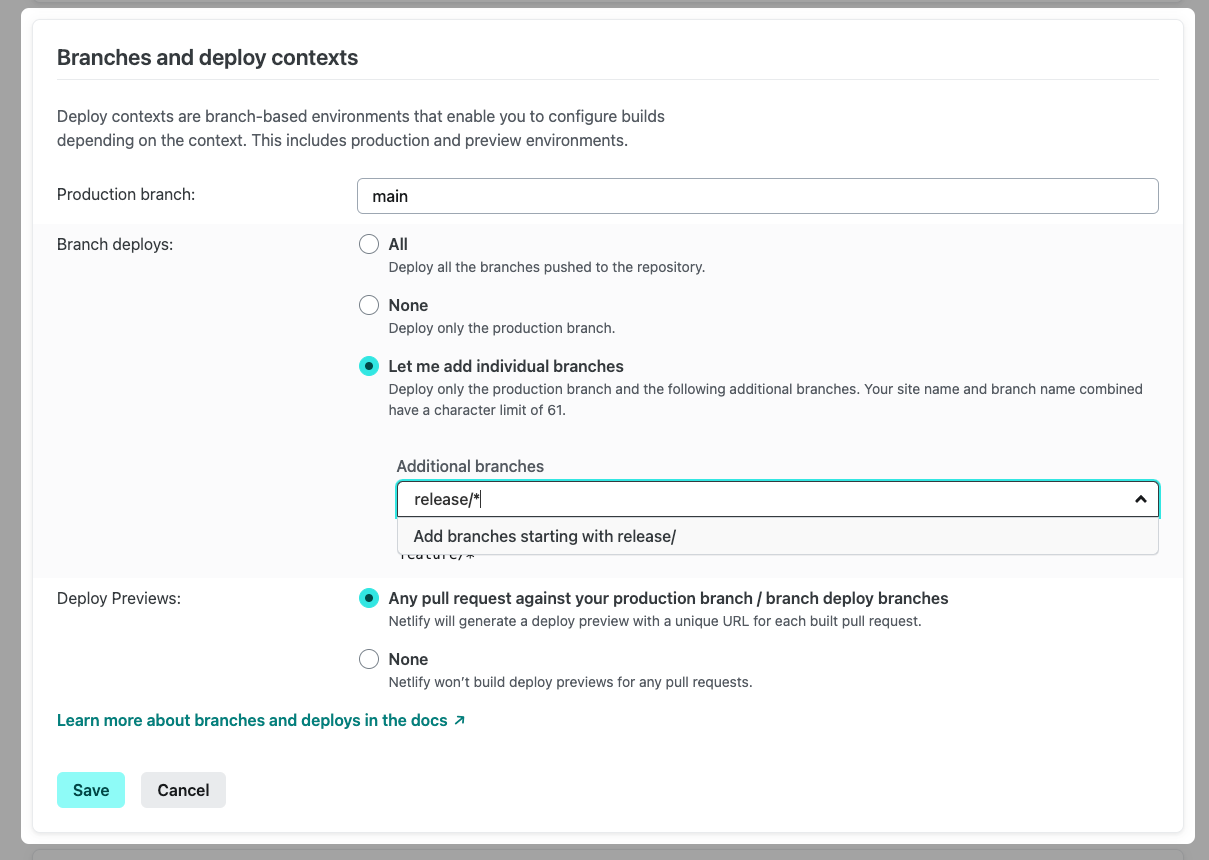
We now support configuring your site to deploy all branches with a specific prefix. Leverage the new functionality by configuring Branch Deploys in Site Configuration > Continuous deployment. Add a wildcard at the end of your prefix to deploy all branches beginning with the given text - for example, enter
release/*to automatically deployrelease/alpha-1,release/v2, and so on.